


Sub-Total: $0.00

An EHV Electronic Study Bible By the Wartburg Project
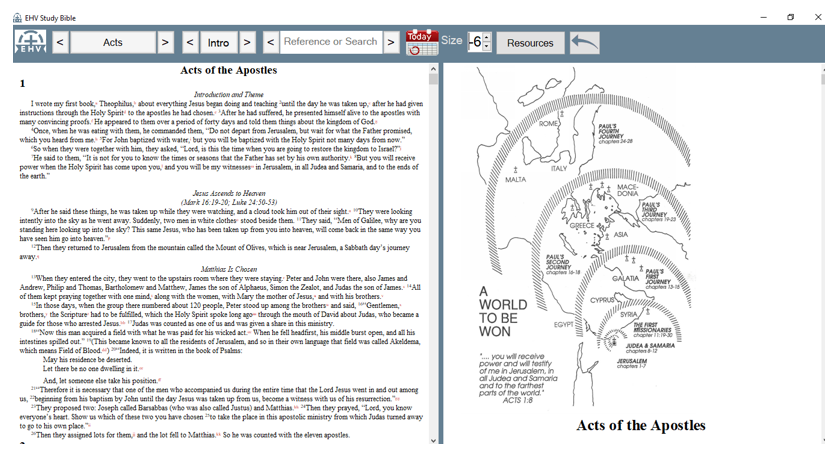
A computer version of an EHV Lutheran Study Bible is available for purchase from the Microsoft Store. This study Bible follows the 2019 text of the EHV with minimal editing. The Evangelical Heritage Version (EHV) Study Bible app is a program designed for Windows that presents the EHV text alongside a set of notes to help you get the most out of your reading of the Bible, including:
– Brief introductions for each book
– Extensive notes on the translation, the meaning of the text, and the historical background for deeper understanding
– Maps, timelines, and charts to illuminate Bible history
– Daily reading plans and weekly lectionary readings
The EHV Study Bible: Microsoft Edition may be purchased from the Microsoft Store.
Description
A computer version of an EHV Lutheran Study Bible is available for purchase from the Microsoft Store. This study Bible follows the 2019 text of the EHV with minimal editing. The Evangelical Heritage Version (EHV) Study Bible app is a program designed for Windows that presents the EHV text alongside a set of notes to help you get the most out of your reading of the Bible, including:
– Brief introductions for each book
– Extensive notes on the translation, the meaning of the text, and the historical background for deeper understanding
– Maps, timelines, and charts to illuminate Bible history
– Daily reading plans and weekly lectionary readings
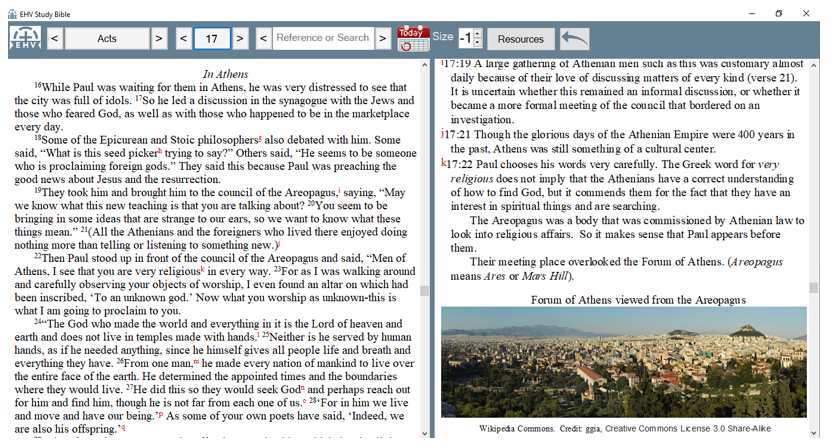
The format of this study Bible is that the biblical text fills the left half of the computer screen, and notes, maps, and pictures scroll along beside it on the right half of the screen.
This Study Bible is designed for use with Windows, not in Apple iOS. For Apple, iPhones, and Android phones use the EHV Study Bible notes from LOGOS Bible software. A print edition of the study Bible is available from Northwestern Publishing House, but it does not have the searchability and color of the e-versions.The format of this study Bible is that the biblical text fills the left half of the computer screen, and notes, maps, and pictures scroll along beside it on the right half of the screen.
From the navigation bar readers can quickly jump from book to book and chapter to chapter and to the collection of supplemental resources. The size of the text, maps, and pictures can be adjusted. By choosing a larger font number you can have your own large print Bible at a size that best suits you, all at the click of a button. It also works well on a classroom screen.
Your name:
Your email address:
Your message:


What others are saying
There are no contributions yet.